Display Options
Overview
Display Options allow you to control how Work Items are presented on the Roadmap.
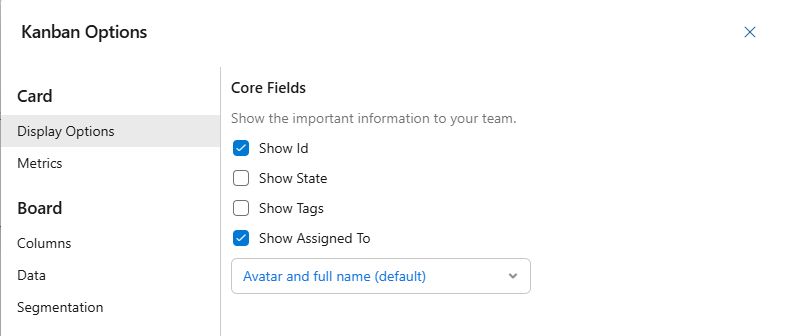
Core Fields
Control which Work Item fields and labels are visible on the Roadmap.
- Show ID: Display the Work Item ID on the card.
- Show State: Display the current State of the Work Item.
- Show Tags: Display any Tags associated with the Work Item.
- Show Assigned To: Choose how the assigned user is displayed
- Avatar and full name (default): Shows both avatar and full name.
- Name only: Shows only the full name.
- Avatar only: Shows only the avatar.
- Full Labels: Control how Work Item titles are displayed.
- Fit Labels (default): Labels fit within the card. Hover to see the full labels.
- Full Labels: Labels extend beyond the card so the full text is always visible.
- Full Labels with Background Color: Same as Full Labels, but with a white background for improved readability