View Controls
Overview
Configure which views are visible and and defines how quarters are displayed.
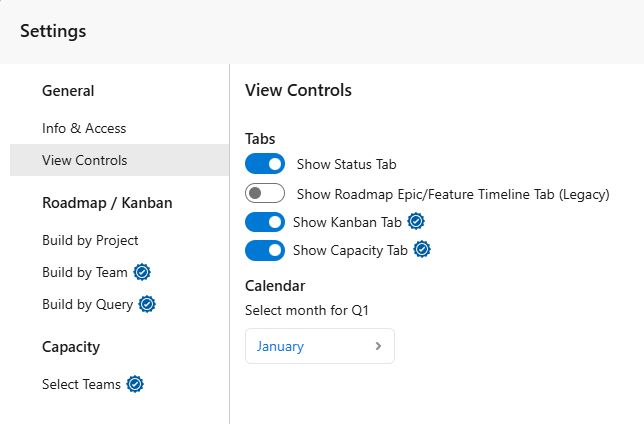
Tabs
- Show Status Tab: Displays the health of selected work items by highlighting quality and completeness issues, such as missing estimates or tasks.
- Show Roadmap Epic/Feature Timeline Tab (Legacy): Displays the legacy timeline view for epics and features. (Legacy: This view may not receive the latest features. Use Roadmap for the latest functionality.)
- Show Kanban Tab (Pro Feature): Displays selected work items by state in a Kanban view, with optional segmentation into swimlanes by project, team, or query to track flow and work-in-progress.
- Show Capacity Tab (Pro Feature): Displays team capacity, workload, forecasts, and budget by iteration to help identify delivery risk and plan resources.
Calendar
-
Select month for Q1: Defines the starting month of your fiscal year.
Example: If Q1 is set to July:
- Q1: July - September
- Q2: October - December
- Q3: January - March (next year)
- Q4: April - June (next year)